How do I dispute an unpaid referral payout?
Last updated: July 18, 2026
If you have submitted a referral that has been hired but have not received your expected payment, you can raise a dispute directly within your Boon account to notify your organization's administrator.
Answer
To dispute an unpaid referral payout, follow these steps:
Log in to your Boon member account.
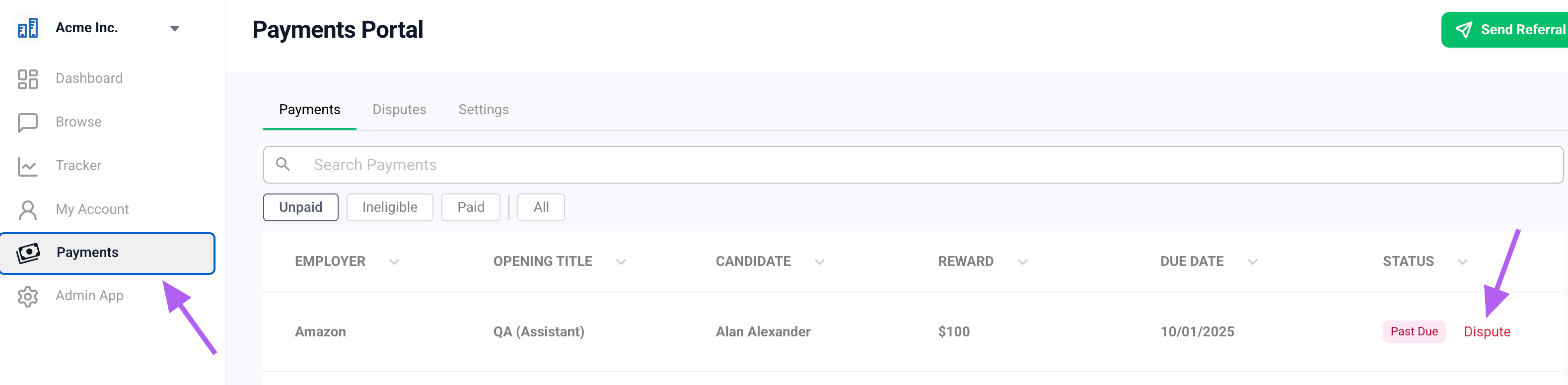
Navigate to the Payouts tab on the left-hand side navigation menu.
Locate the unpaid reward you wish to dispute.
Hover over the payment status on the right-hand side and click Dispute.
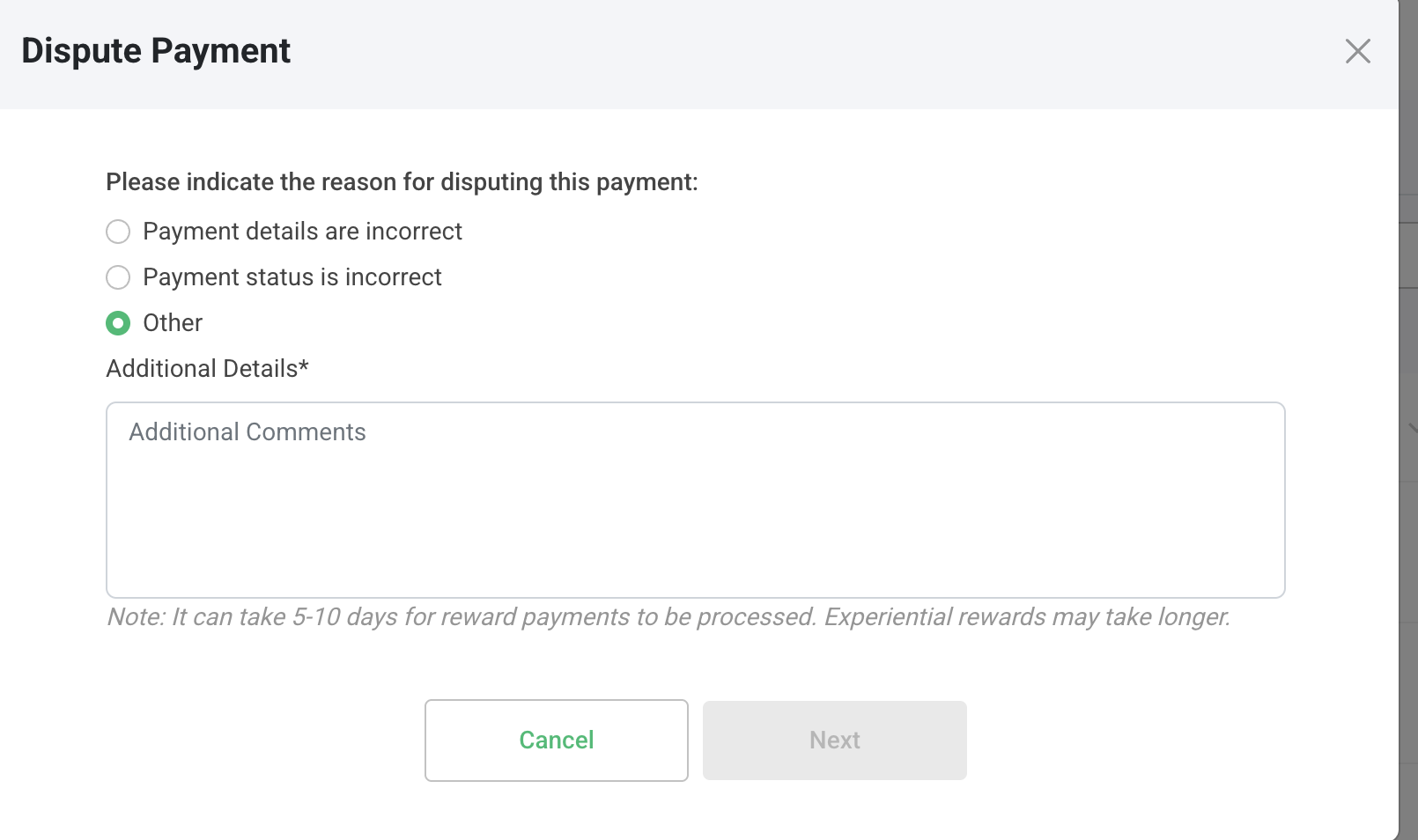
Fill out the form that appears — select your reason and/or leave an additional note.
Submit the dispute. This will automatically send a message to your organization's administrator to get in touch with you and resolve the issue.
Once your dispute has been settled, you can return to the Disputes tab at the top of the Payouts page to mark it as resolved.
Note: If your referral was submitted prior to your organization's launch on Boon, it may not yet appear in your tracker. In this case, please reach out directly to your referral program manager or organization admin to inquire about your payment.