Resolve a Reward Dispute
Last updated: March 3, 2026
1. Navigate to the Payments tab in the user app -
https://member.goboon.co/payments/records
2. In the Payments Section
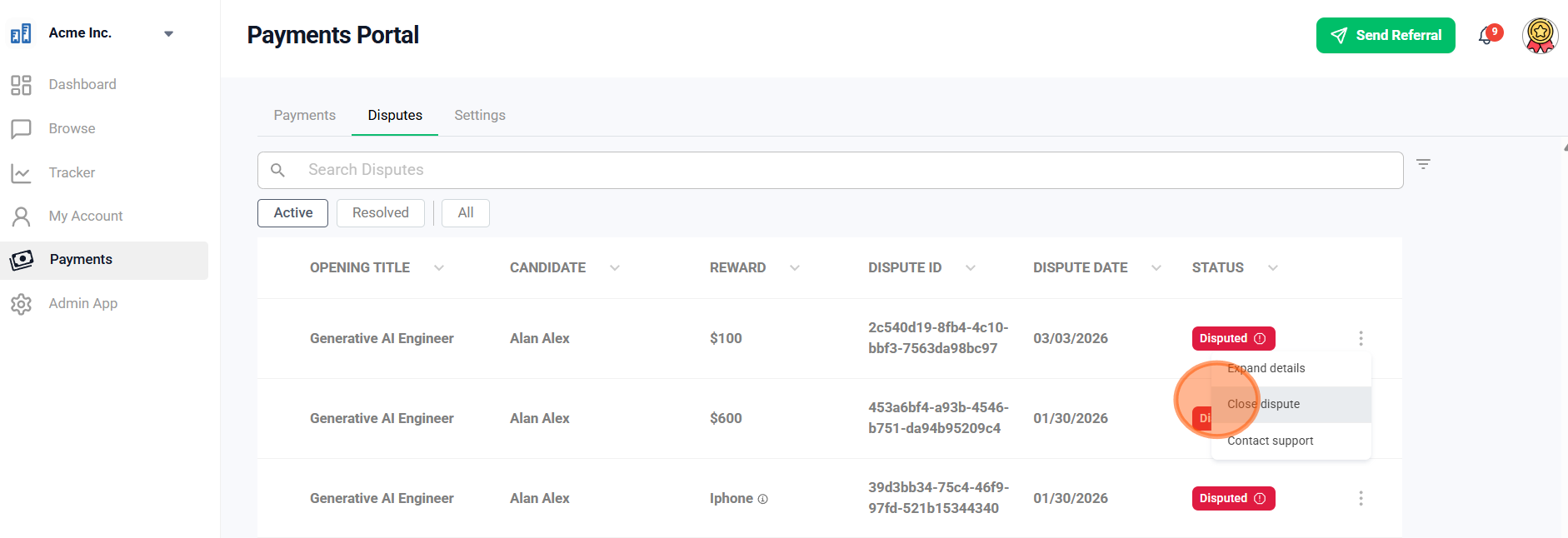
Select which reward you'd like to close the dispute and click on the 'Close dispute' button. The option to dispute should appear.
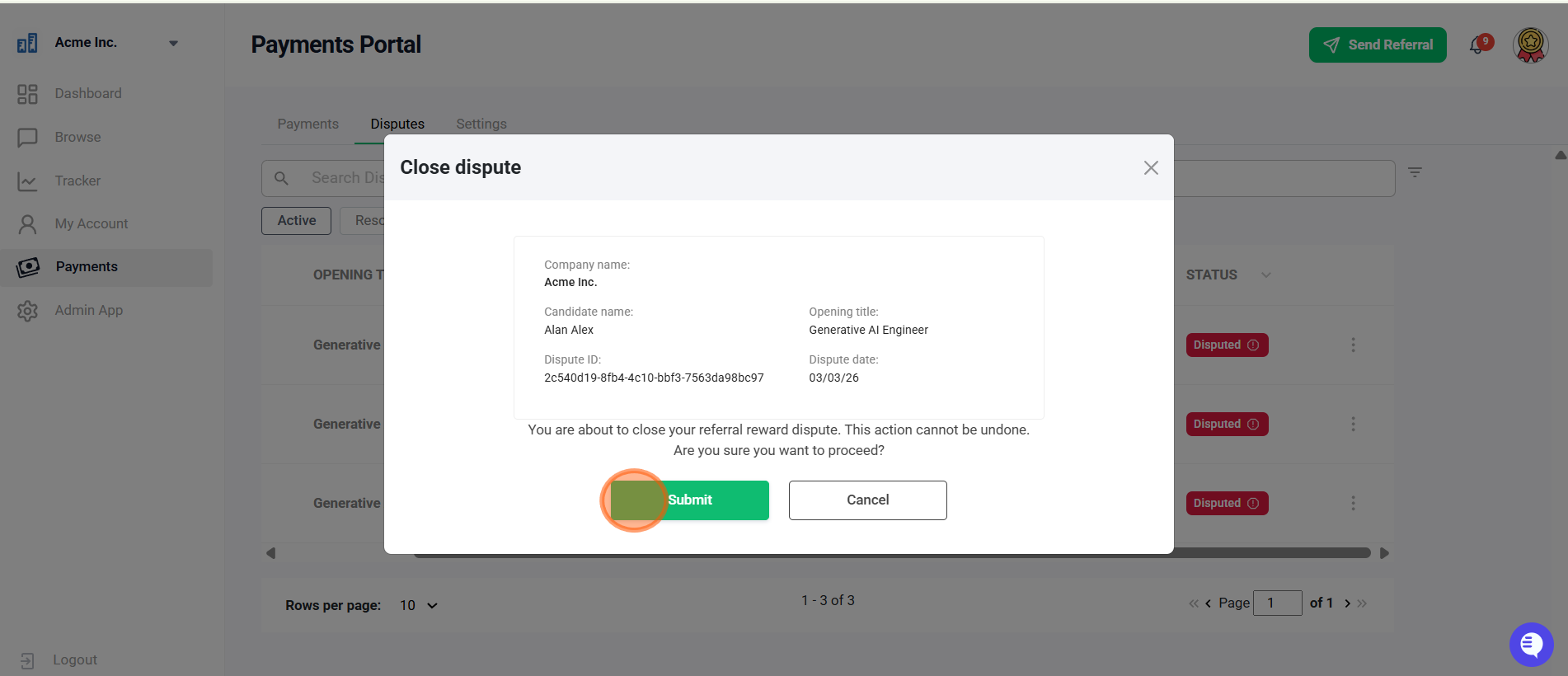
3. Click on the 'Submit' Button
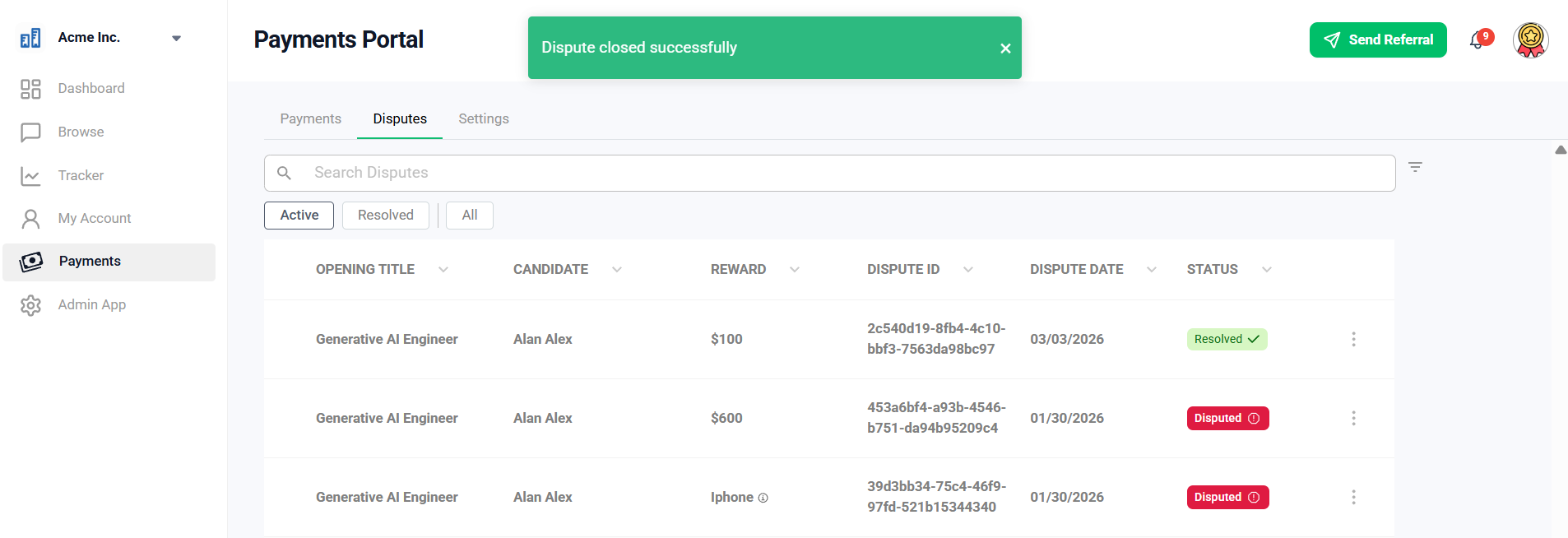
View the updated status
Challenges in resolving disputes?
Please get in touch with support by selecting it from the drop-down menu to create a ticket

Did this article help?