Dispute Reward Payments
Last updated: March 3, 2026
1. Navigate to the Payments tab in the user app -
https://member.goboon.co/payments/records
2. In the Payments Section
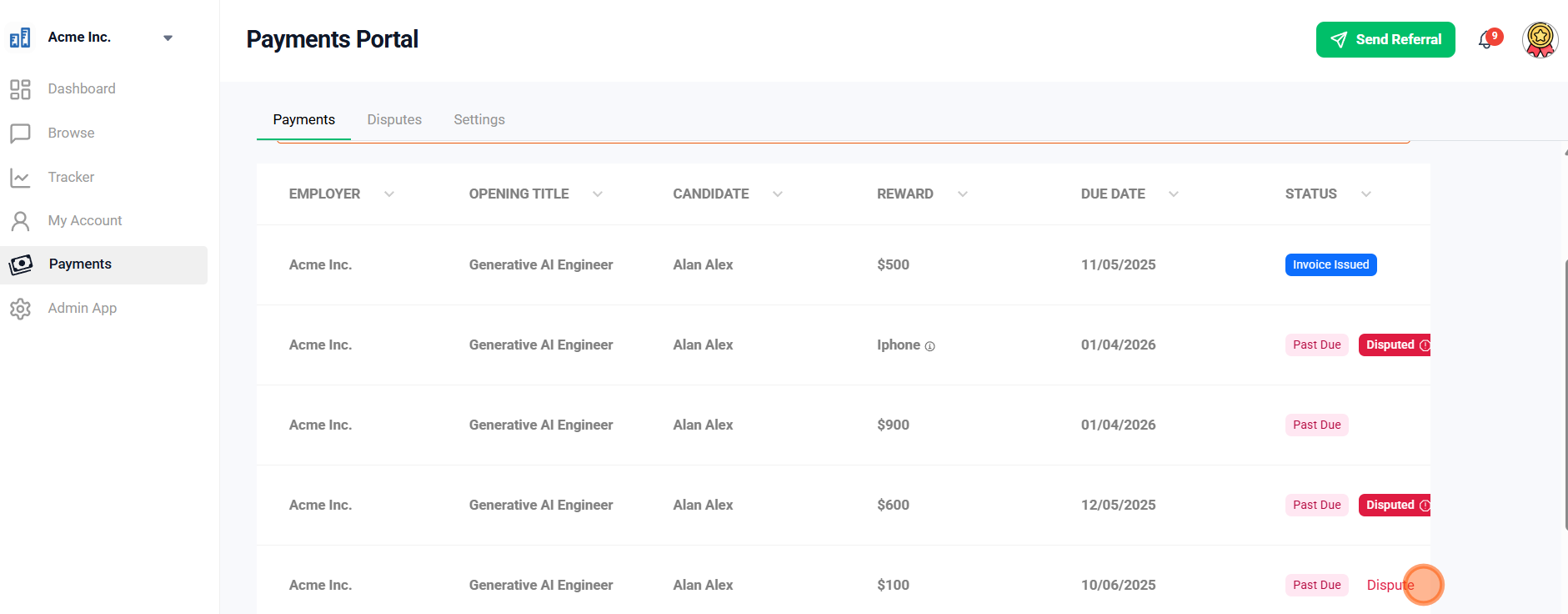
Select which reward you'd like to dispute and hover next to it. The option to dispute should appear.
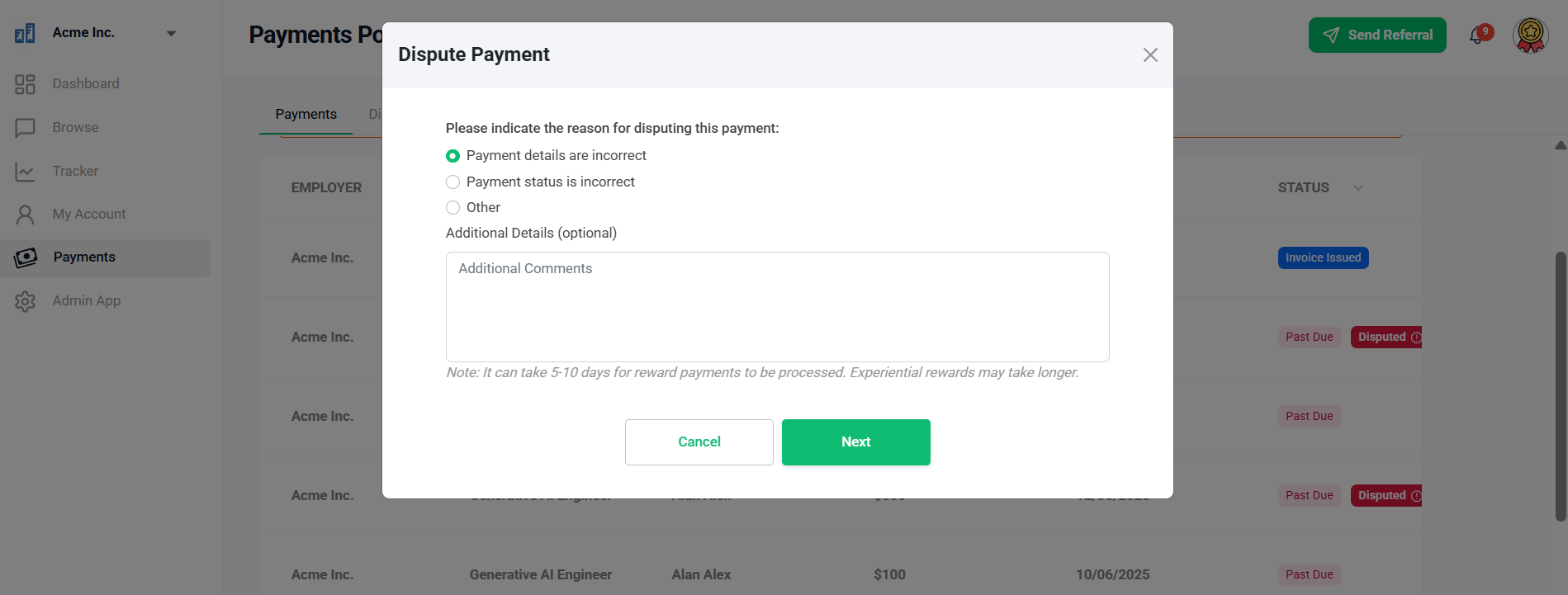
3. You can then select your reason for disputing.
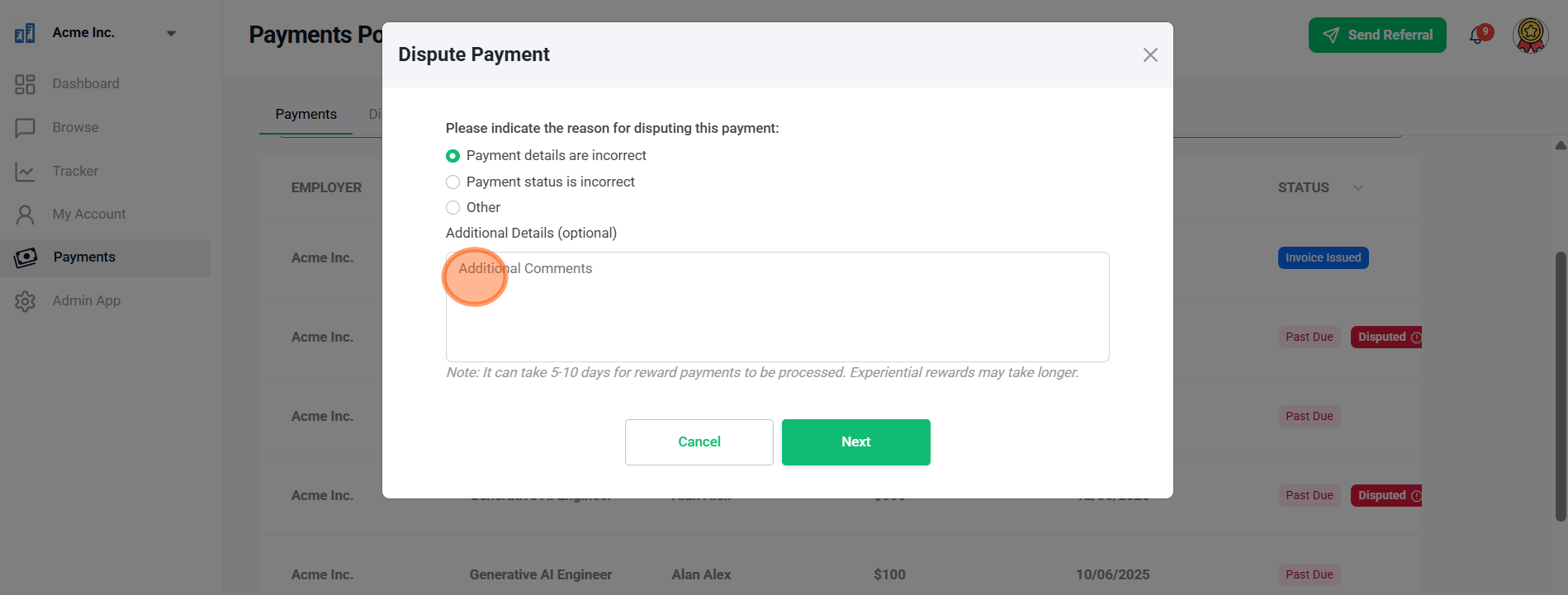
4. You can add additional notes for your reason.
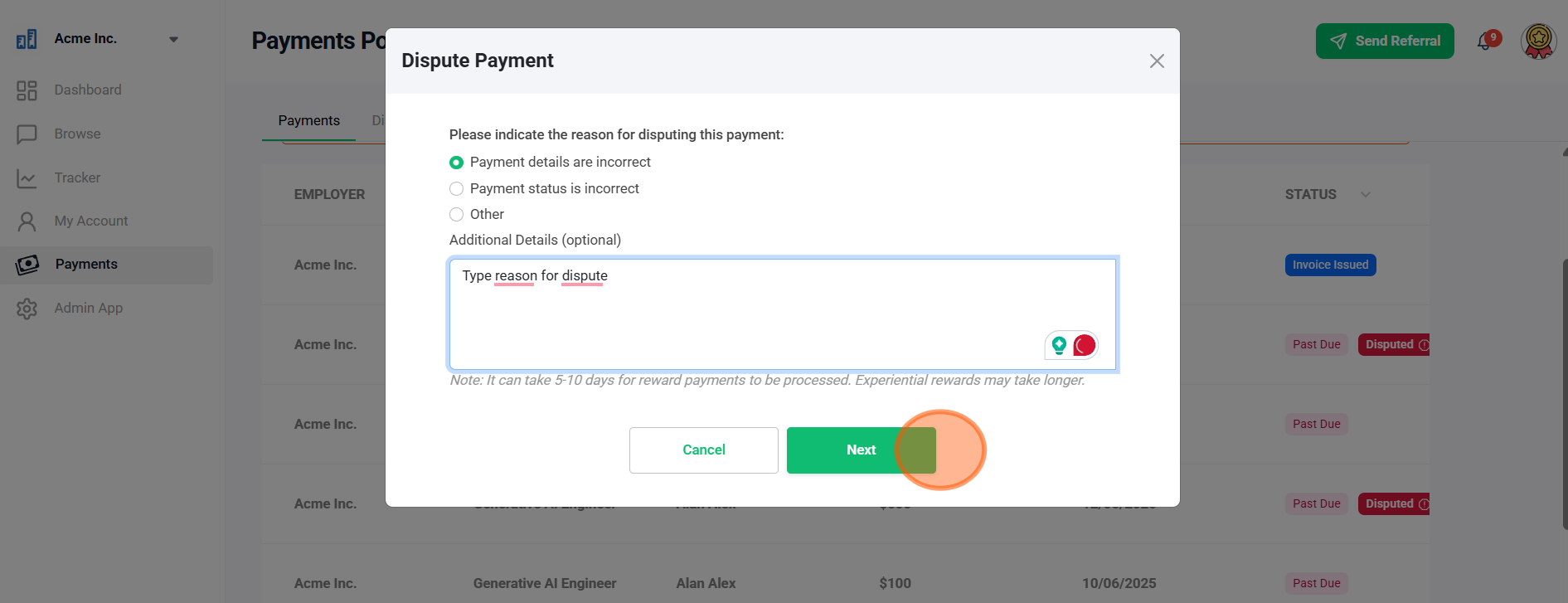
5. Select "Next."
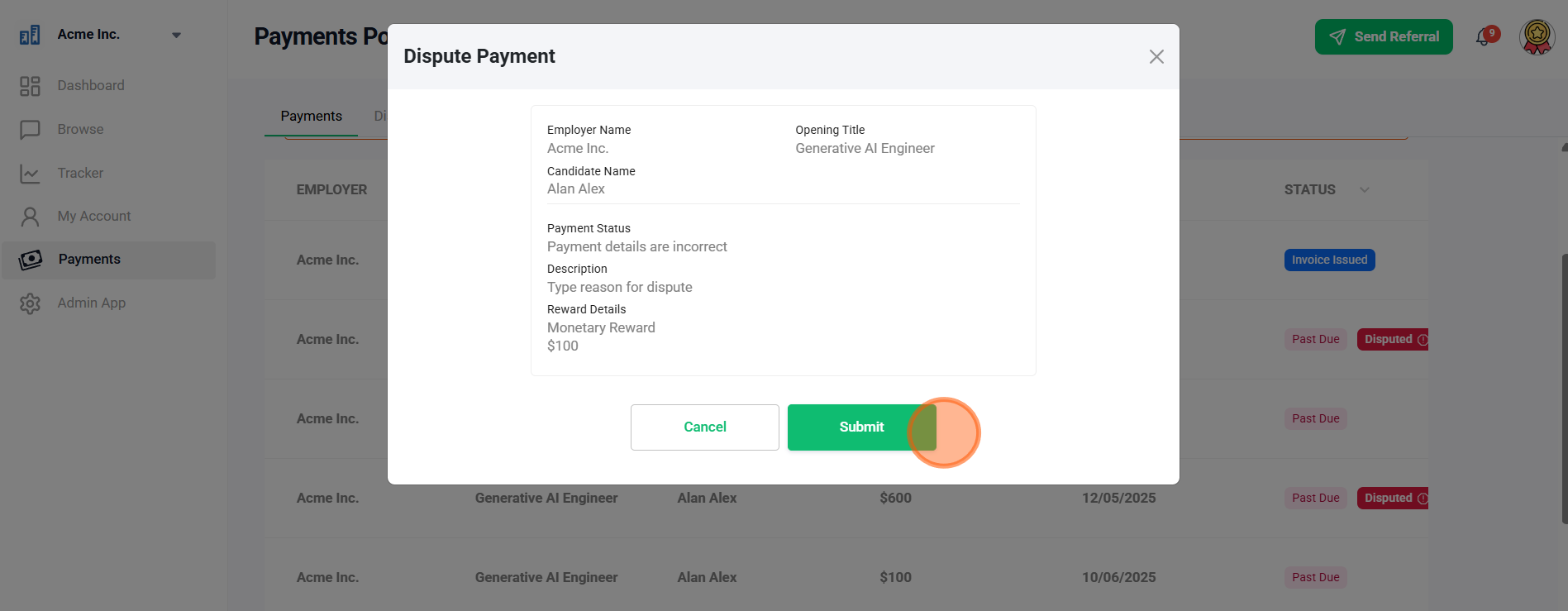
6. Review your details and select "Submit" to send to the admin.
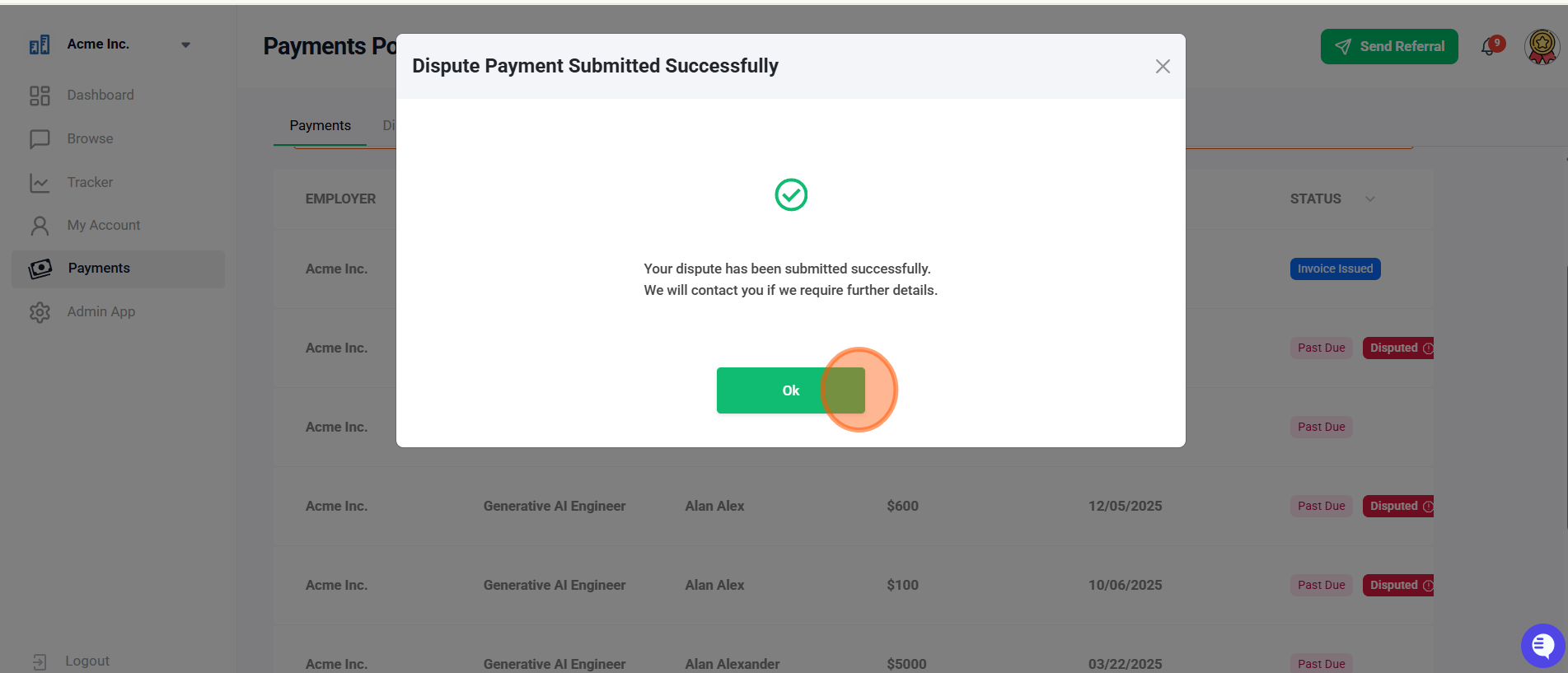
7. Select "Ok" to complete your dispute submission.
The employer will be notified of your dispute and will contact you directly to resolve it.
Did this article help?