Why does my referral link show no jobs?
Last updated: July 18, 2026
You shared a general company jobs link (e.g., https://member.goboon.co/company/[YourCompany]/jobs) with a friend or candidate, but they see no job listings when they open it. This can happen even after trying incognito mode, a different device, or another account.
Answer
If your organization does not share its job board publicly, jobs will only be visible to internal/logged-in users. A general company jobs link will show no results to external recipients. Instead, you need to share a direct link to the specific job you want to refer someone for.
To get and share a direct job link:
Log in to your Boon account (via SSN or your usual login method).
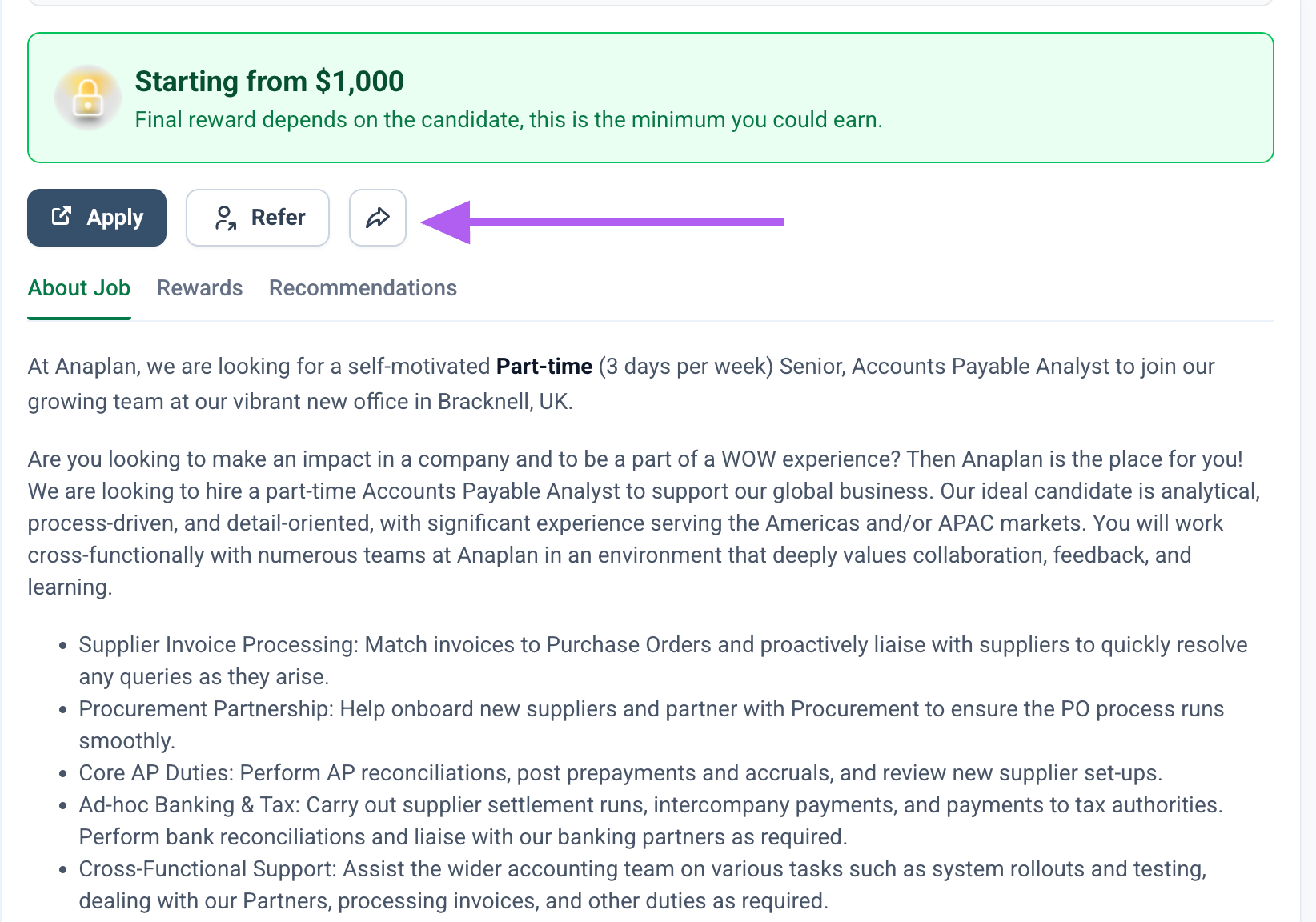
Navigate to the specific job you want to refer someone for.
Click the arrow icon next to the Refer button on that job listing.
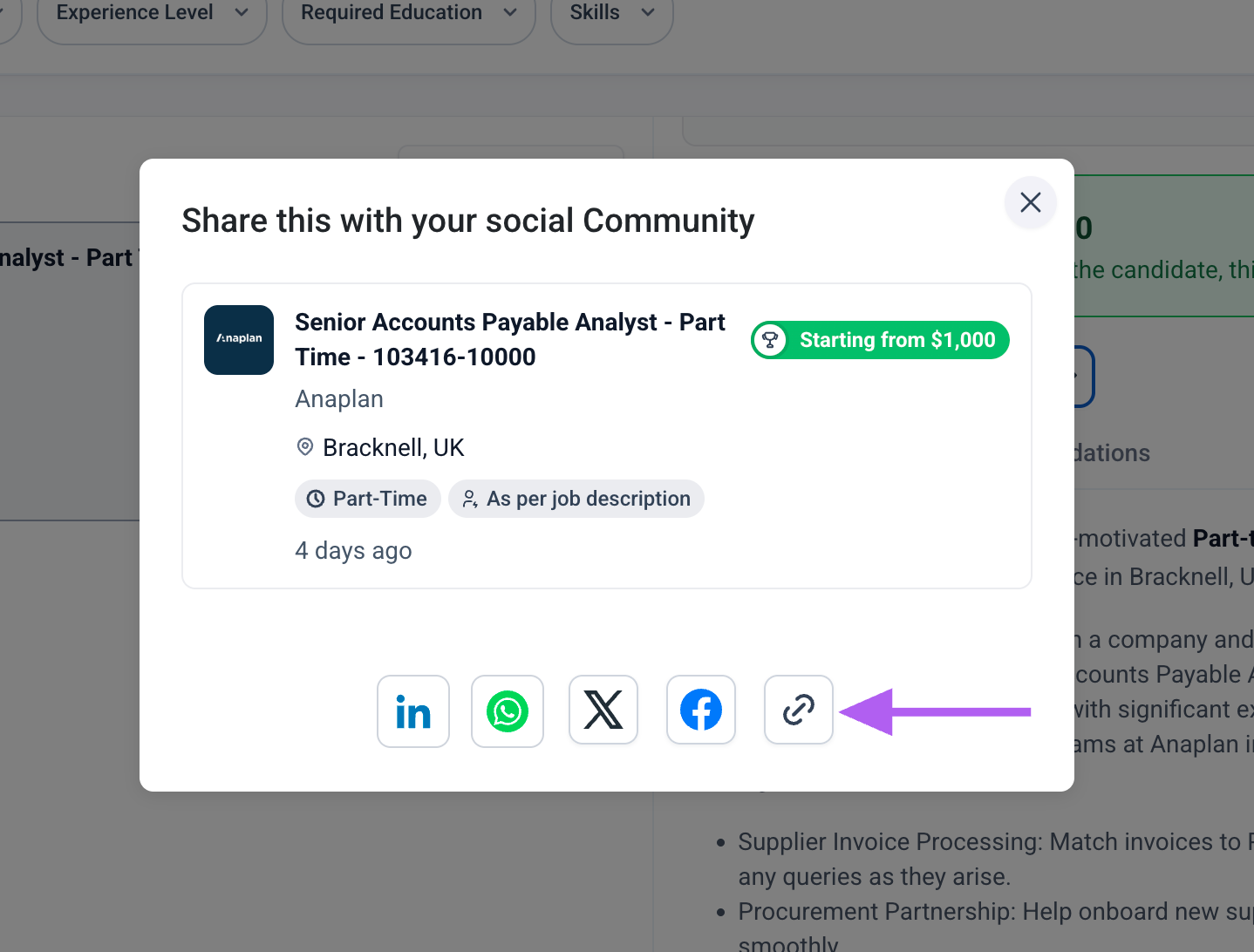
In the share dialog that appears, click the copy/link icon to copy the direct link to that job.
Share that copied link directly with your friend or candidate.
Once you share the direct job link, your organization will still credit you as the referral provider — even if the candidate ends up applying to a different role.
Note: If you are an internal employee and cannot see jobs even when logged in, try logging out and back in, or check again after some time, as job postings may occasionally take time to become visible after being published.