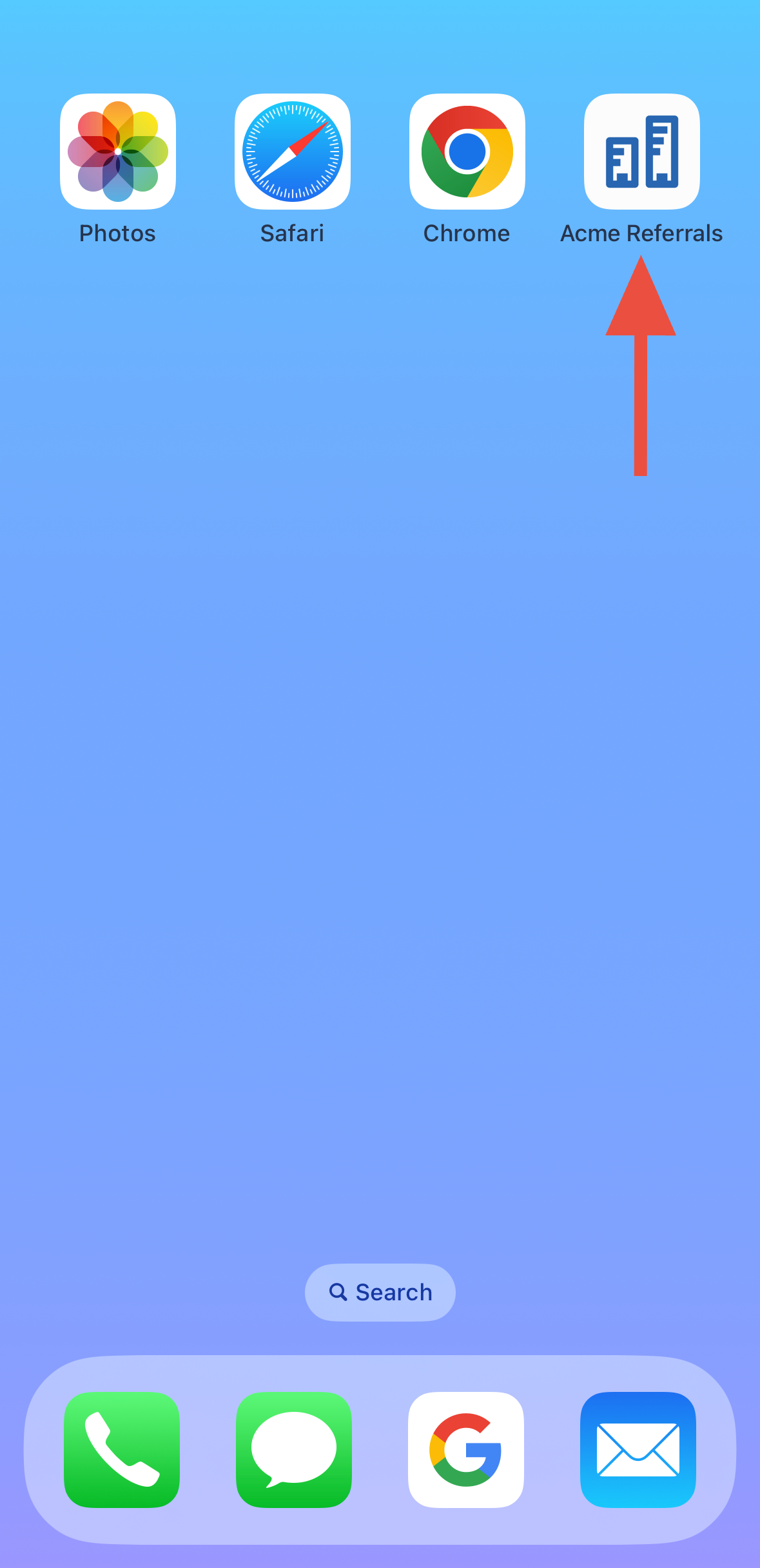
Send a Referral via Mobile
Last updated: June 24, 2026
The instant referral link now showcases your organization's name and logo right on your Home Screen!
Boost your referral game!
Add your organization’s instant referral form to your mobile Home Screen for effortless referrals anytime, anywhere. 🙌
Step-By-Step Guide
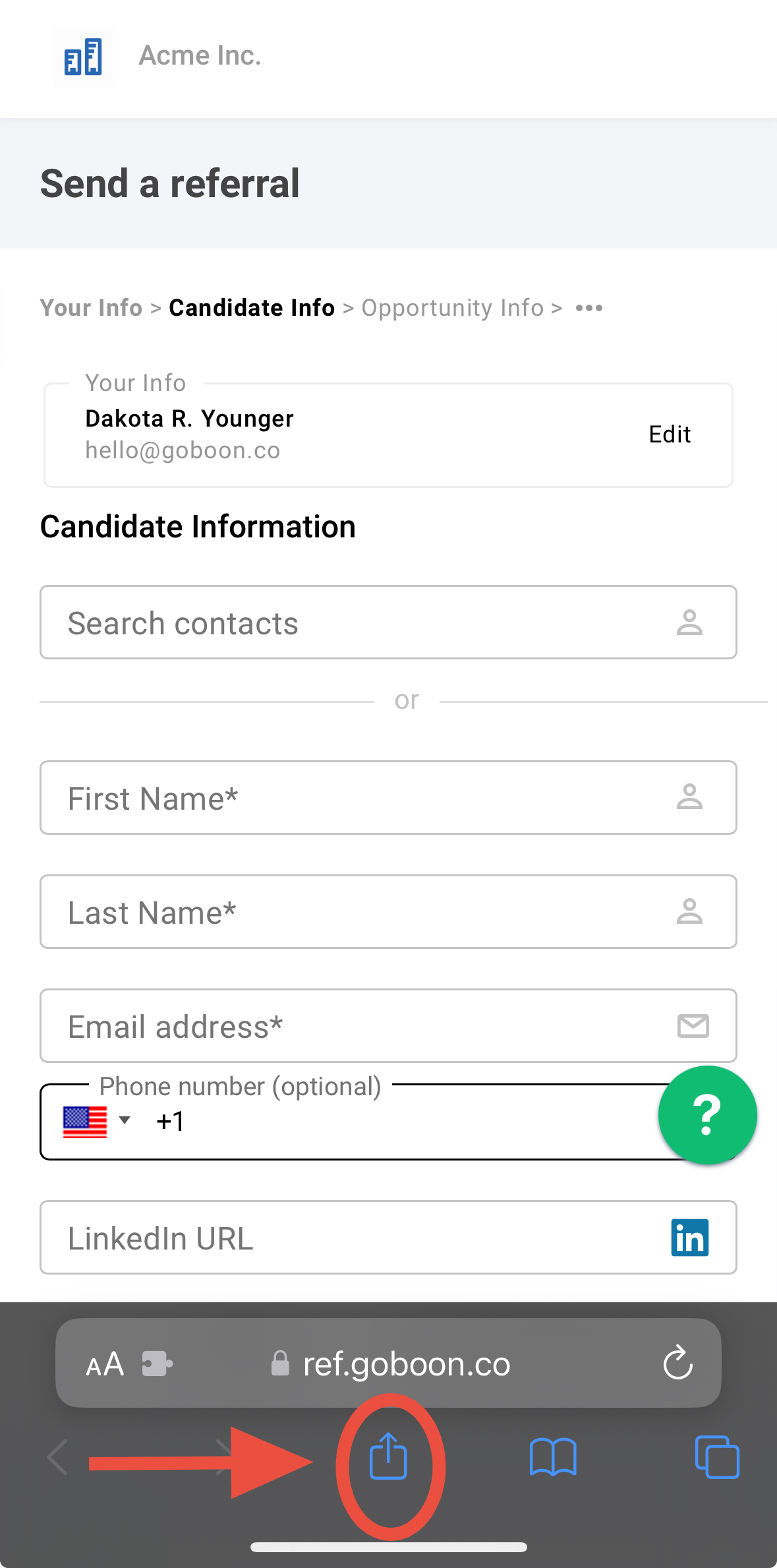
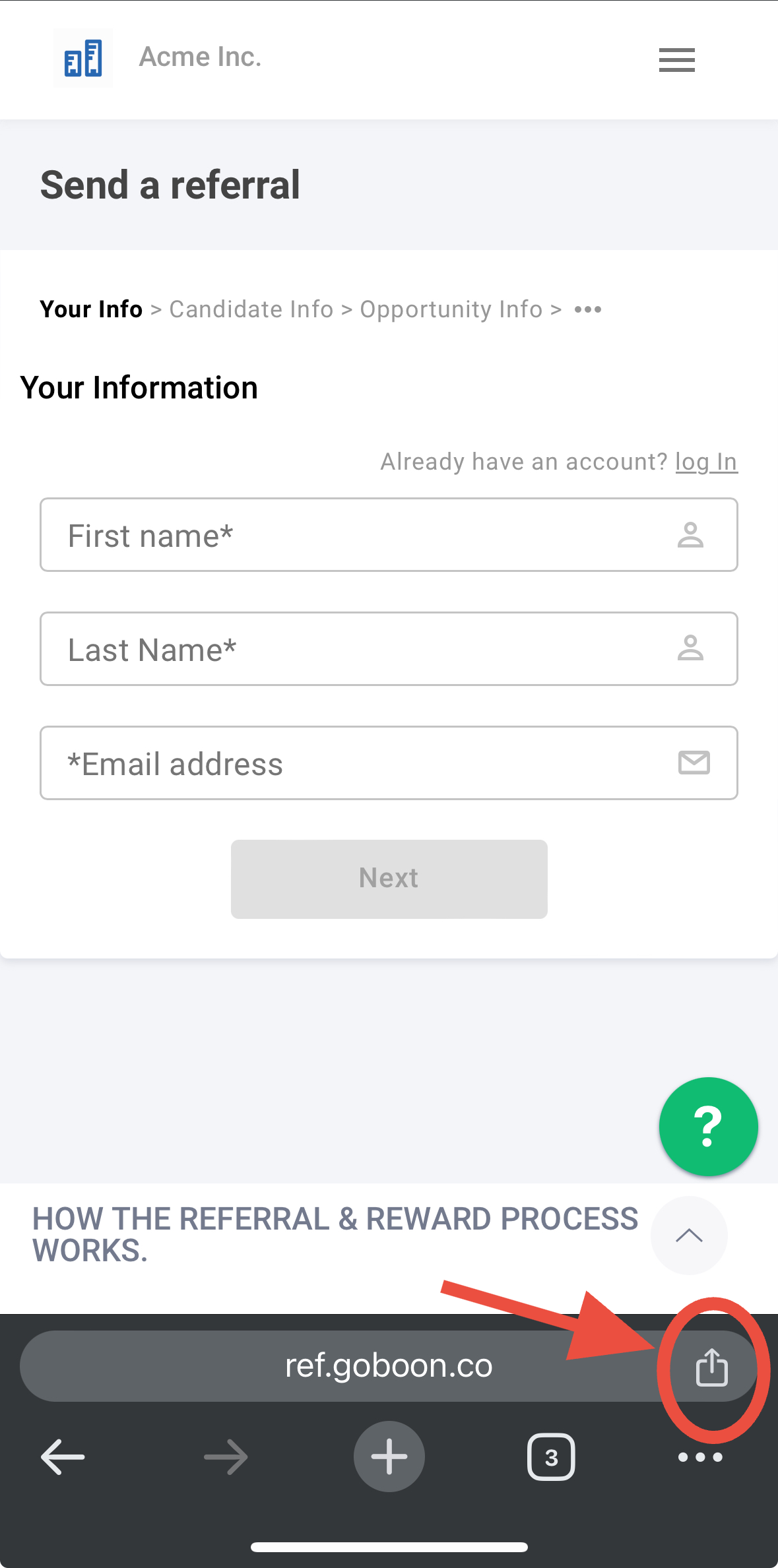
1. Go to your org's instant referral form and Tap ‘Share’ button within browser
Safari
Chrome
2. Scroll down and select ‘Add to Home Screen’ within share menu

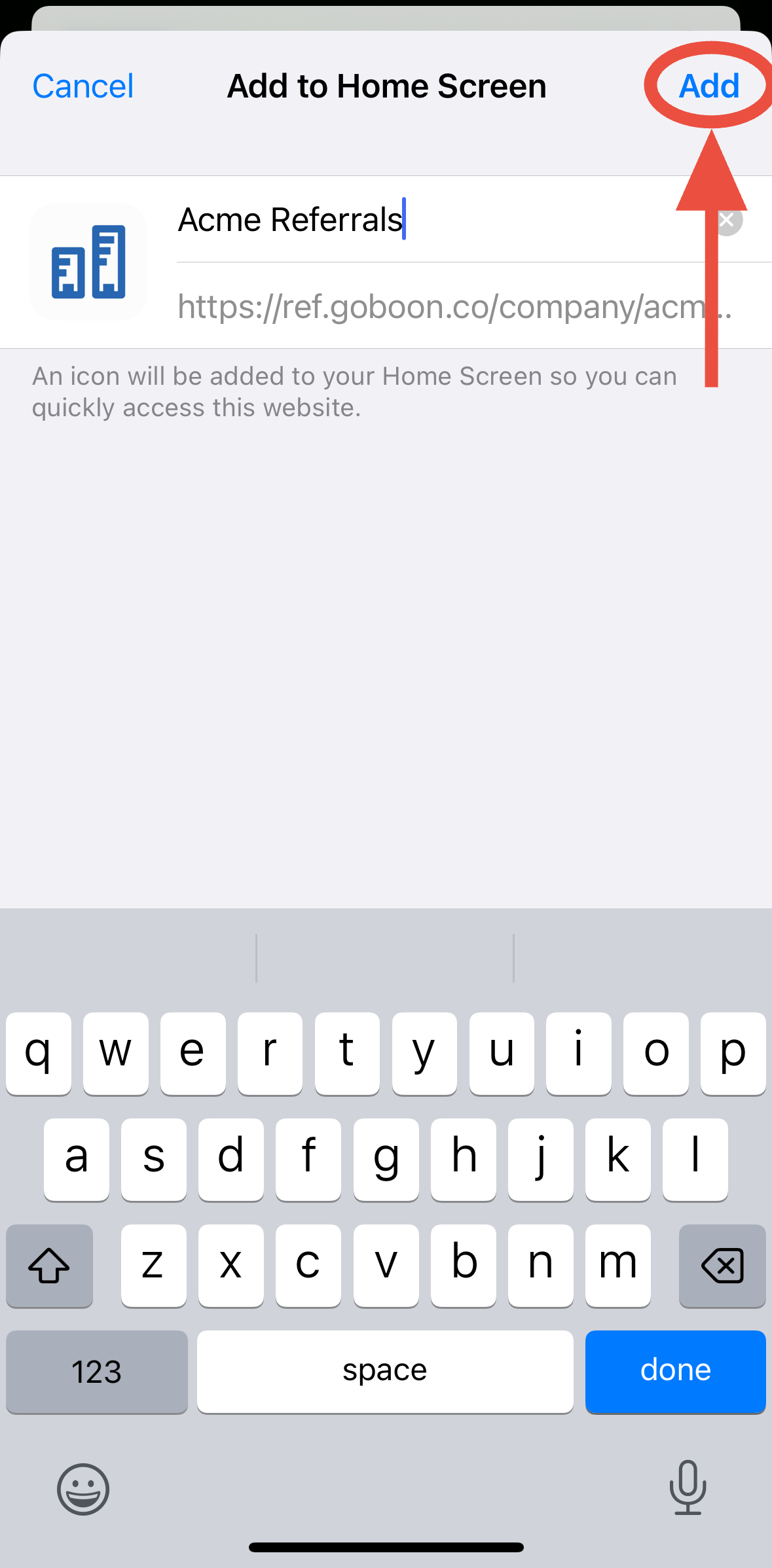
3. Select ‘Add’ in top right-hand corner
You have the option to edit the name as well.
4. You're done!
Now, the instnat referral link showcases your organization's name and logo right on your Home Screen!